AI assistants are useful when they can answer questions. They become much more useful when they can work with the systems you already use: files, calendars, databases, code repositories, support tools, search, and internal workflows.
That is the problem MCP is trying to solve. Instead of every AI app needing a custom integration for every outside system, MCP gives developers a shared way to connect assistants to external context and actions. This guide explains what MCP means in AI, how the Model Context Protocol works, why people are excited about it, and where beginners should be careful.
Quick Answer: What Is MCP in AI?
MCP in AI, short for Model Context Protocol, is an open standard for connecting AI applications to external tools, files, data sources, systems, and workflows. It lets an AI assistant discover what a connected system can provide, such as searchable documents, database access, calendar actions, or reusable prompt workflows, then use those capabilities with the right permissions.
MCP Explained in Simple Terms
The easiest way to understand MCP is to think about an AI assistant that needs to do real work outside the chat box.
Without MCP, the assistant might be able to write a plan, but it cannot safely inspect your project files, query your database, check your calendar, or create a task unless the app has a separate integration for each system. Every new connection becomes its own little engineering project.
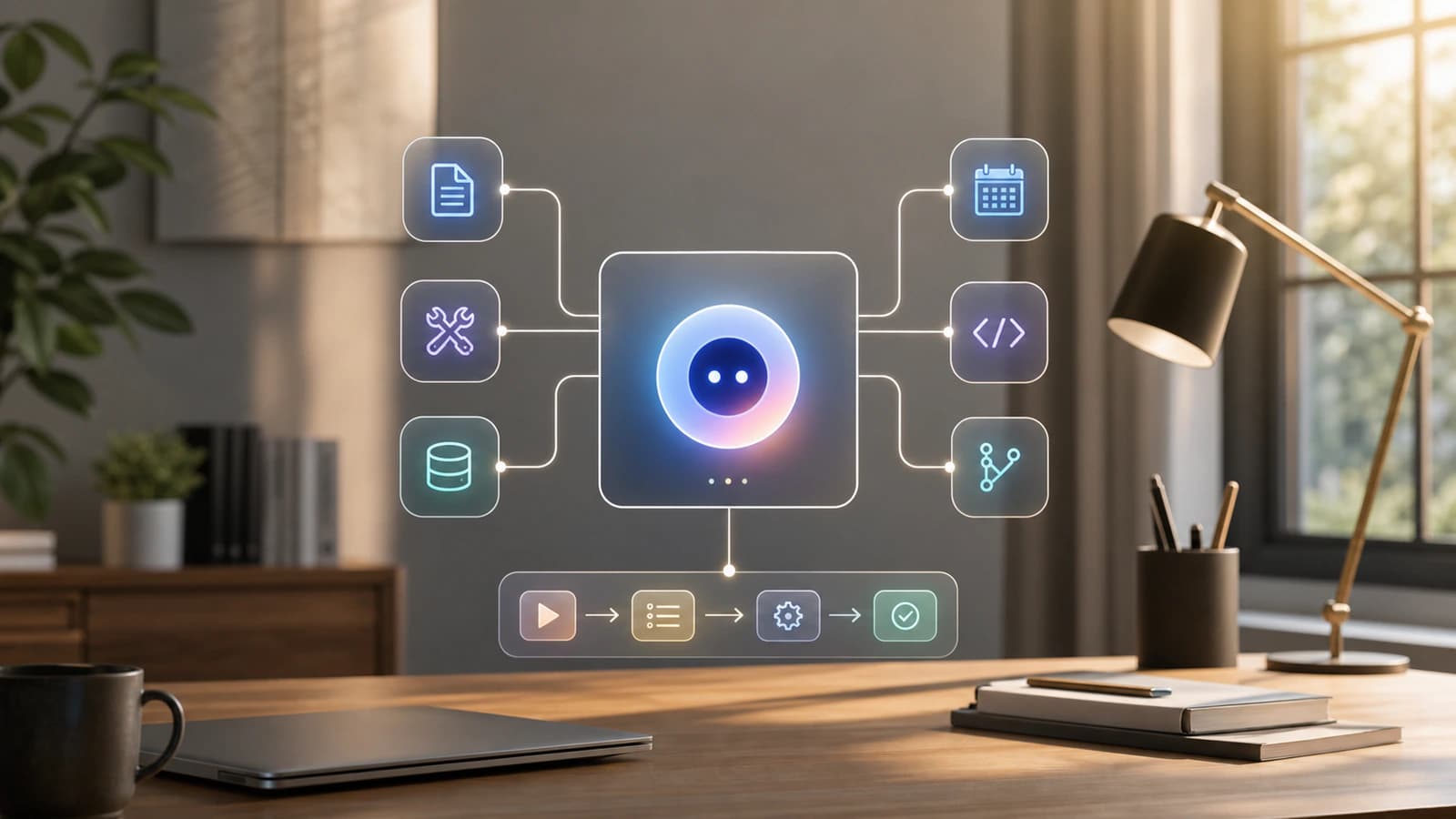
MCP provides a common connection pattern. An AI application can connect to an MCP server, ask what capabilities it exposes, and then use approved tools or data from that server.
That does not mean the model gets unlimited access to everything. A well-built MCP setup should expose only the specific files, tools, actions, and workflows needed for the task. MCP is the connector layer. The host application still needs permissions, approval flows, logging, and sensible product design.
In plain English: MCP is a standard way for AI assistants to plug into the outside world.

How MCP Works
MCP uses a host, client, and server architecture. The terms sound technical, but the idea is fairly direct.
- Host: The AI application you interact with, such as a chat app, coding assistant, or AI workspace. The host manages the overall experience, user consent, model interaction, and connected clients.
- Client: The connector inside the host. A host can create separate MCP clients for separate MCP servers, which helps keep connections isolated.
- Server: The program or service that exposes useful capabilities. A server might provide access to local files, a database, GitHub, Slack, a CRM, a calendar, or a custom company workflow.
- Discovery: The AI application can ask a server what it offers. That might include tools, resources, prompts, or other supported capabilities.
- Use: When the user asks for something, the model can use the available context and request approved actions, such as reading a file, querying a table, or creating a calendar event.
- Oversight: The host should control what is shared, ask for consent when needed, and keep risky actions visible to the user.
Under the hood, MCP uses JSON-RPC messages and capability negotiation. Beginners do not need to memorise the protocol details. The useful mental model is this: MCP gives AI apps a predictable way to discover and use outside context.
Why MCP Matters for AI Assistants
Most AI tools started as answer boxes. You typed a prompt, the model replied, and the work still lived somewhere else.
MCP matters because it helps AI assistants move from isolated conversation to connected work. When an assistant can access the right context and approved tools, it can give more relevant answers and perform more useful actions.
MCP is important for a few practical reasons:
- It reduces one-off integrations: Developers can build against a shared protocol instead of writing a different connector pattern for every AI app.
- It makes assistants more useful: A model with access to current files, product data, calendars, or code context can respond with less guessing.
- It supports composable workflows: Multiple focused servers can be connected to the same host, such as one for files, one for GitHub, and one for a business database.
- It can improve portability: A useful MCP server can potentially work across different MCP-compatible clients rather than being trapped inside one product.
- It raises the stakes for trust: Tool access is powerful. A connected assistant needs careful boundaries, not just clever prompts.
The short version: MCP is one of the pieces that can turn AI from a writing aid into a working interface.
Key Parts of the Model Context Protocol
MCP has a few moving parts that are worth knowing.
| Part | What it means | Why it matters |
|---|---|---|
| Host | The AI app that coordinates the user experience | It manages the model, user consent, connected clients, and context aggregation |
| Client | A connection component created by the host | It maintains an isolated session with a specific MCP server |
| Server | A local or remote program that exposes capabilities | It gives the AI app access to specific context, tools, or workflows |
| Resources | Data the assistant can use as context | Examples include files, database records, schemas, documentation, or API responses |
| Tools | Functions the model can request to perform actions | Examples include search, create task, query database, send message, or update file |
| Prompts | Reusable templates or workflows exposed by a server | They help users trigger structured tasks in a consistent way |
| Transport | The communication mechanism | MCP supports local and remote connection patterns, depending on the implementation |
| Capability negotiation | A startup exchange about supported features | It lets clients and servers agree on what can happen in a session |
| Permissions | Rules and approvals around access and actions | They keep powerful integrations from becoming uncontrolled access |
The three beginner terms to remember are resources, tools, and prompts. Resources provide context, tools do actions, and prompts package repeatable workflows.
Real-World Examples of MCP in AI
MCP is easiest to understand through examples.
- File assistant: An AI app connects to a local file system MCP server so it can read selected project documents, summarise them, and help draft updates.
- Calendar workflow: A scheduling assistant connects to a calendar server so it can check availability, suggest meeting times, and create an event after approval.
- Database question answering: A business user asks a plain-English question about revenue or support trends. An MCP server exposes safe database queries or schema context so the assistant can help analyse the data.
- Coding assistant: A development tool connects to GitHub, local files, error tracking, or documentation servers so the assistant can understand the codebase and suggest a better fix.
- Support operations: An internal assistant connects to help desk tickets, knowledge base articles, and customer account tools so support staff can answer questions faster.
- Design handoff: A product team connects design assets, project briefs, and implementation tasks so an assistant can help turn design context into engineering work.
In each case, MCP is not the assistant itself. It is the standardised bridge between the assistant and the systems the assistant needs to understand or act on.
Benefits and Limitations of MCP
MCP is useful, but it is not magic infrastructure. It solves part of the integration problem, not every problem in agent design.
| Area | Benefit | Limitation | What to watch |
|---|---|---|---|
| Integration | A shared protocol can reduce custom connector work | Systems still need real servers, permissions, and maintenance | Do not assume every MCP server is production-ready |
| Context | Assistants can use current files, data, and system state | More context can also create noise or privacy risk | Expose only what the task needs |
| Actions | Tools let assistants perform useful work outside chat | Actions can change data, send messages, or trigger workflows | Require approval for sensitive operations |
| Portability | One server can potentially serve multiple MCP-compatible clients | Client behaviour and product support can still differ | Test in the actual tool you plan to use |
| Workflows | Prompts and tools can package repeatable processes | Poorly designed workflows can be brittle | Keep workflows small, observable, and easy to stop |
| Security | The architecture supports boundaries and consent patterns | MCP itself cannot guarantee safe implementation | Use trusted servers, least privilege, logs, and human review |
The healthy view is this: MCP makes connection easier to standardise, but good judgement still lives in the surrounding system.
MCP vs APIs, Plugins, RAG and Tool Calling
MCP is often mentioned near other AI terms, which makes it easy to blur the edges.
| Concept | Best for | Key difference |
|---|---|---|
| MCP | Standardising how AI apps connect to tools, resources, and workflows | It is a protocol for AI-context integration across clients and servers |
| API | Letting software systems communicate with a specific service | MCP servers often wrap APIs, but MCP adds AI-oriented discovery, tools, resources, and prompts |
| Plugin or connector | Adding a specific integration to a specific app | A plugin may be product-specific, while MCP aims to be a shared protocol |
| RAG | Retrieving relevant knowledge for model responses | RAG is a retrieval pattern. MCP can expose resources or tools that support retrieval |
| Tool calling | Letting a model request a function or action | MCP can provide the standard way those tools are discovered, described, and invoked |
| Agent framework | Building multi-step AI workflows | MCP can supply the external capabilities an agent uses, but it is not the whole agent framework |
A simple way to separate them: APIs connect software to software, RAG brings knowledge into answers, tool calling lets models request actions, and MCP standardises a connection layer built for AI applications.
MCP Security, Permissions and Trust
MCP is powerful because it can connect an assistant to real systems. That is also why security matters.
If an MCP server can read files, query a database, send messages, or execute commands, it deserves the same caution you would give any tool with access to your work. A badly designed or malicious server can expose sensitive data, perform unwanted actions, or run unsafe local commands.
For beginners, the practical safety checklist is:
- Use trusted servers: Install MCP servers from sources you understand and can verify.
- Start with narrow access: Give the assistant the smallest set of files, scopes, and tools needed for the task.
- Review tool actions: Sensitive actions should be visible and require approval.
- Watch local servers carefully: A local MCP server may run with access to your machine, so do not treat installation commands as harmless setup steps.
- Keep logs where possible: Tool calls and data access should be inspectable after the fact.
- Separate read from write: Reading a file is lower risk than editing it, deleting it, sending it, or updating a production system.
The right question is not "Does this use MCP?" The better question is "What exactly can this server access, what can it do, and when will I be asked before it does it?"
How to Think About MCP Before You Use It
If you are evaluating an MCP-powered tool or integration, use this practical lens.
- Use MCP when the assistant needs live or private context that is not already in the prompt.
- Use MCP when the workflow involves repeatable actions across files, apps, databases, or APIs.
- Be careful when the server needs broad file access, admin access, production write access, or secret credentials.
- Ask what data the server can read, what actions it can take, and whether those actions require approval.
- Prefer focused servers over giant all-access servers.
- Start with a low-risk workflow, then expand access only when the value is clear.
For most teams, the best first MCP experiment is a narrow one: connect one assistant to one trusted system for one repeatable workflow.
Common Misconceptions About MCP
MCP is not a new AI model. It does not replace ChatGPT, Claude, Gemini, or any other model. It helps AI applications connect models to outside systems.
MCP is not the same as memory. A memory system stores information over time. MCP can connect an assistant to systems that contain context, but it does not automatically decide what should be remembered.
MCP does not replace APIs. Many MCP servers use APIs behind the scenes. MCP adds a standard AI-facing layer on top of the systems and APIs a workflow already depends on.
MCP does not make integrations safe by default. It gives implementers a protocol, but safety still depends on permissions, consent, sandboxing, secure code, and user interface design.
MCP is not only for developers. Developers build many of the servers and clients, but the point is to make assistants more useful for everyday workflows: writing, planning, support, research, analysis, coding, and operations.
MCP does not mean every tool should be exposed to a model. Too many tools can make systems slower, harder to reason about, and riskier. Good MCP design is selective.
What Comes Next for the Model Context Protocol
MCP is still a young standard. Anthropic introduced it on 25 November 2024, and on 9 December 2025 announced it was donating MCP to the Agentic AI Foundation under the Linux Foundation.
That matters because standards become more useful when they are not locked to one vendor. The more AI assistants, developer tools, cloud platforms, and business systems support MCP, the more likely it is that teams can build a useful integration once and reuse it in multiple places.
The sober version is more important than the hype version. MCP is not the whole future of AI agents. It is plumbing. But plumbing matters. If AI assistants are going to work across real tools and real organisations, the connection layer needs to be predictable, inspectable, and secure.
What to Remember About MCP in AI
- MCP stands for Model Context Protocol.
- MCP is an open standard for connecting AI applications to external tools, files, data sources, systems, and workflows.
- The basic architecture is host, client, and server.
- MCP servers expose resources for context, tools for actions, and prompts for reusable workflows.
- MCP can make AI assistants more useful by giving them access to current, relevant, permissioned context.
- MCP does not guarantee safety. Treat connected tools and local servers with care, especially when they can write data or execute commands.
FAQ About MCP in AI
What does MCP stand for in AI?
MCP stands for Model Context Protocol. It is a standard that helps AI applications connect to external systems such as files, databases, tools, APIs, and workflows. The main idea is to give AI assistants a consistent way to access useful context and approved capabilities outside the chat window.
Is MCP an AI model?
No. MCP is not an AI model. It is a protocol that AI applications can use to connect models to outside systems. The model generates responses and decides when tools might help, while MCP provides the structured connection to servers that expose context, tools, and prompts.
What is an MCP server?
An MCP server is a local or remote program that exposes specific capabilities to an AI application. For example, one server might expose selected files, another might expose database queries, and another might expose calendar actions. Good servers are focused, permissioned, and clear about what they can access.
Why do AI assistants need MCP?
AI assistants need MCP when they have to work with information or actions outside their built-in knowledge. MCP can help an assistant read current documents, query a system, call a tool, or follow a reusable workflow, provided the host application and user permissions allow it.
Is MCP safe to use?
MCP can be safe when implemented carefully, but it should not be trusted blindly. Connected servers may access private data or perform actions. Use trusted servers, narrow permissions, visible approvals, and logs. Be especially careful with local servers or integrations that can write, delete, send, or execute.
How is MCP different from tool calling?
Tool calling is the model capability that lets an AI request a function or action. MCP is a protocol for exposing those tools, plus resources and prompts, from external servers to AI applications. In practice, MCP can make tool calling more portable and standardised across different clients.
Do beginners need to learn MCP?
Beginners do not need to implement MCP to benefit from it. But it is worth understanding the concept because more AI products are using MCP-style connections. Knowing what a connected assistant can read, what it can do, and when it needs approval will help you use these tools more safely.

About the author
Hi, I'm Jason Futrill.
I'm an tech professional and commentator exploring how intelligent systems are reshaping work, creativity, and society.
More about me