What Is Perplexity? The Plain-English Guide to Perplexity AI
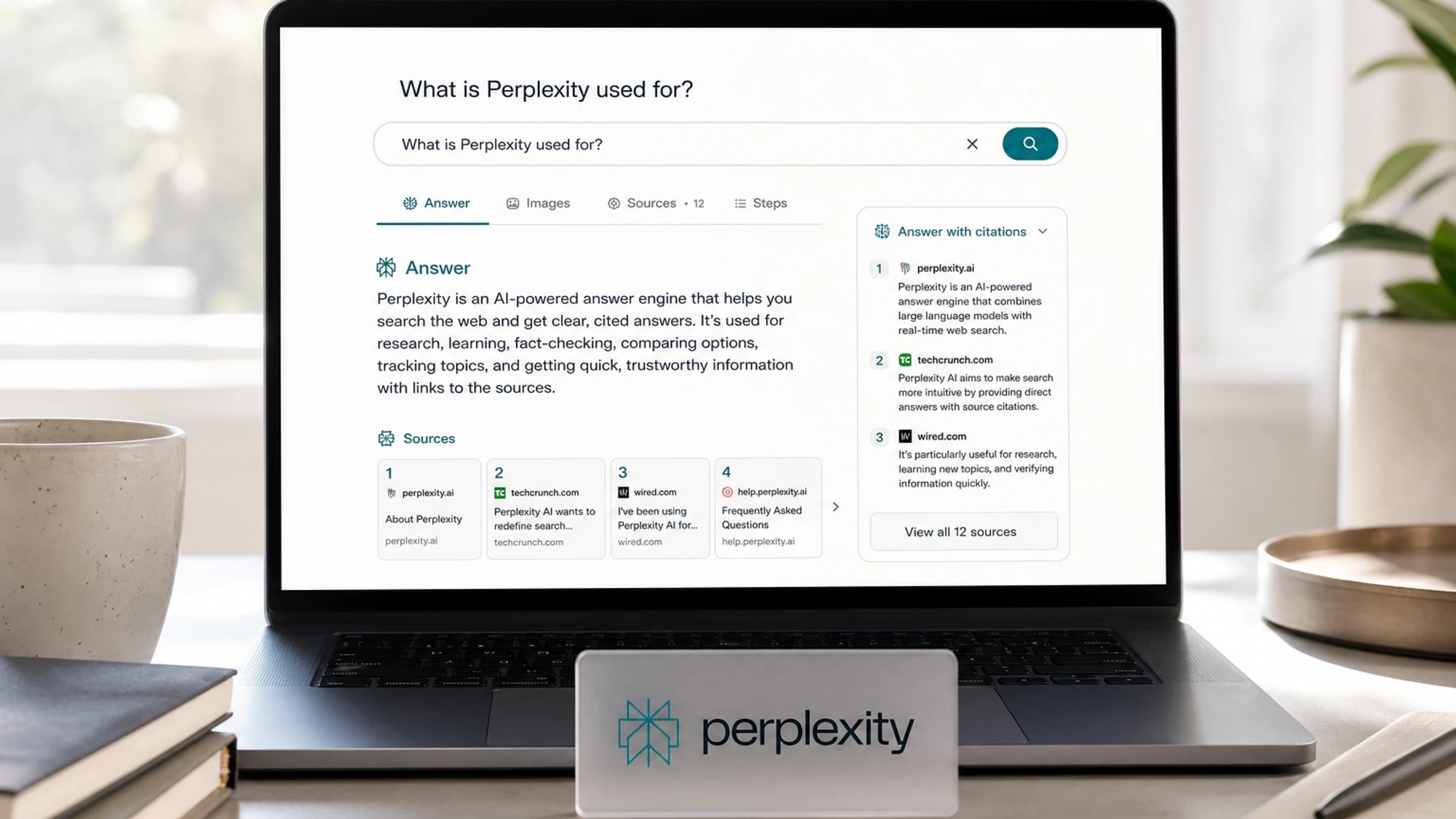
Perplexity is an AI answer engine: you ask a question, it searches the web in real time, reads relevant sources, and returns a direct answer with citations you can check. It sits somewhere between Google Search and ChatGPT, but its strongest use case is research where recency, source links and follow-up questions matter.
The important bit is simple: Perplexity is not just a chatbot. It is built around finding information, summarising it and showing where the answer came from.
The short version - What is Perplexity?
| Question | Answer |
|---|---|
| What is Perplexity? | An AI-powered answer engine for searchable, cited answers. |
| Best for | Research, comparisons, summaries, market scans, learning and source discovery. |
| Main difference | It makes citations central rather than optional. |
| Main risk | The answer can still be wrong, incomplete or based on weak sources. |
| Closest alternatives | Google AI Mode, ChatGPT with search, Gemini, Claude with web access, Brave Search and You.com. |
What Perplexity actually does
Perplexity takes a question and turns it into a research workflow. Its own getting-started material describes it as an AI-powered answer engine that combines live web search with leading AI models and citations. That means the product is designed to do three jobs at once:
- find current information,
- synthesise it into a readable answer,
- link back to the sources behind that answer.
That makes it useful when you do not want ten blue links, but also do not want an unsupported AI paragraph. You can ask follow-up questions, narrow the search, compare sources, or ask it to turn the answer into a table, checklist or brief.
Perplexity vs Google vs ChatGPT
| Tool | What it is best at | Where Perplexity is stronger | Where it is weaker |
|---|---|---|---|
| Google Search | Broad web discovery and navigation | Faster summaries with cited source links | Less useful for browsing many raw results yourself |
| ChatGPT | Writing, reasoning and creative tasks | Source-first research and current web answers | Less flexible as a general writing and coding assistant |
| Google AI Mode or AI Overviews | Search answers inside Google | Cleaner research-style dialogue and citations | Google has deeper search distribution and index control |
| Claude or Gemini | Long reasoning, writing and multimodal tasks | Fast cited research workflow | Model-specific depth may be better elsewhere |
A good rule: use Perplexity when the source trail matters. Use a pure chatbot when the task is mostly thinking, drafting or coding from context you already trust.
How Perplexity works in practice
| Step | What happens | What you should check |
|---|---|---|
| 1. Ask | You enter a question in plain English. | Be specific about location, date range and format. |
| 2. Search | Perplexity searches live web sources or selected indexes. | Check whether the sources are current and relevant. |
| 3. Synthesis | An AI model condenses the source material into an answer. | Look for missing caveats or overconfident wording. |
| 4. Citations | The answer includes links to source pages. | Open the links before relying on the claim. |
| 5. Follow-up | You refine the answer conversationally. | Ask it to compare, challenge or verify the result. |
The workflow is fast, but it does not remove judgement. A cited answer is more inspectable than an uncited one, not automatically true.
Main Perplexity features
| Feature | What it does | Best use |
|---|---|---|
| Search | Produces fast, up-to-date answers with cited sources. | Everyday questions, summaries and comparisons. |
| Deep Research | Runs longer autonomous research, reading many sources and creating a report. | Market scans, technical explainers, product research. |
| Computer | An agentic AI assistant that can take a goal, choose tools and models, and work through multi-step tasks on your behalf. | Tasks that move beyond answers, such as drafting documents, analysing files, using apps, building workflows or handling browser-based work. |
| Pro | Adds higher limits, premium models, deeper sourcing and more advanced work modes. | Regular professional research. |
| Enterprise | Adds team-oriented controls and connections to files or tools. | Company research, internal knowledge and secure workflows. |
| Comet | Perplexity's AI browser with an assistant for browsing, email and web tasks. | Delegating browser-based research and actions. |
| Labs | Turns research into outputs such as reports, spreadsheets, dashboards or simple apps. | Moving from answer to deliverable. |
| Pages | Converts research into shareable published pages. | Explaining a topic publicly or internally. |
| Sonar API | Gives developers access to Perplexity's search and grounded AI capabilities. | Building apps that need current web answers. |
Perplexity Computer is the feature that changes the product
Perplexity Computer deserves its own callout because it moves Perplexity beyond “ask a question, get an answer”. Perplexity describes Computer as a general-purpose digital worker and computer-use agent. Instead of only summarising sources, it can be given a task in natural language, route parts of the work across different models and tools, and keep working through a multi-step workflow.
That matters because it changes the category. Search answers help you decide what to do. Computer is designed to help do the work. Perplexity's own material points to versions for personal workflows, enterprise teams, Microsoft 365, finance and tax-related tasks, while independent reporting frames it as part of the wider race toward AI agents that can operate software and the web.
| Computer version | What it means | Practical example | Caveat |
|---|---|---|---|
| Perplexity Computer | Cloud-based agentic work system that can orchestrate models and tools. | Research a market, draft a memo, build a simple workflow or process information across sources. | Availability, credits and plan access can change. |
| Personal Computer | Mac-focused version that can work with local files, native apps and the web. | Ask it to work across documents, browser tabs or app-based tasks. | Local computer control needs careful permissions and approval habits. |
| Computer for Enterprise | Team version for business workflows and shared company context. | Research a prospect, draft outreach, generate a PRD or analyse internal material. | Enterprises need governance, security and audit controls. |
The sensible way to explain it: Perplexity Search is for answers, Deep Research is for reports, and Computer is for delegated work. It is also the feature that brings the biggest trust question. If an AI can act across apps, files and websites, users need clear approval steps, narrow permissions and a habit of checking outputs before anything sensitive is sent, filed or paid.
Is Perplexity free?
Perplexity has free access and paid plans, but pricing and plan limits change often. The safe way to phrase it is this: free users can use the core answer engine, while paid tiers such as Pro or Max are aimed at people who need more usage, stronger models, deeper research and advanced tools. Developers can also use paid API products such as Sonar.
Avoid treating any price you see in an article as permanent. Check Perplexity's live pricing page before making a buying decision.
What can you use Perplexity for?
| Use case | Example prompt | Why it works well |
|---|---|---|
| Learning | “Explain quantum chips like I am a product manager.” | It can combine definitions, examples and sources. |
| News research | “What changed in AI regulation this week?” | Live search is central to the product. |
| Buying decisions | “Compare these three laptops for video editing.” | Tables and source links make comparisons easier. |
| Competitive research | “Summarise recent moves by Canva, Adobe and Figma.” | It can scan multiple sources quickly. |
| Academic starting points | “Find recent papers on synthetic data for healthcare.” | It helps discover sources, but you still verify them. |
| Work briefs | “Create a one-page brief on this market.” | Deep Research and Labs can turn research into structured outputs. |
Where Perplexity can go wrong
Perplexity is useful because it exposes sources, but it is still an AI system. The model can misread a source, merge incompatible facts, miss important context, or cite a page that does not fully support the sentence beside it. Publishers have also criticised Perplexity over content use, crawling behaviour and attribution, which is part of the broader debate about AI search and journalism.
| Risk | What can happen | How to reduce it |
|---|---|---|
| Weak citation fit | The source exists but does not support the exact claim. | Open citations and check the quoted fact. |
| Outdated results | A newer article changes the answer. | Add the date range and ask for latest sources. |
| Source bias | It leans on available or high-ranking sources. | Ask for official, independent and critical sources separately. |
| Hallucination | The answer includes an unsupported detail. | Ask “which source supports that?” and verify manually. |
| Copyright and publisher concerns | Summaries may sit in tension with publisher business models. | Use it for research, not as a replacement for original reporting. |
How to get better answers from Perplexity
Do not just ask “what is Perplexity?” and accept the first result. Ask like an editor.
- Add context: “for a beginner”, “for a CTO”, “for an Australian small business”.
- Ask for source quality: “prioritise official documentation and reputable technology reporting”.
- Force comparison: “show where Perplexity differs from ChatGPT and Google Search”.
- Request tables: “make a table of features, risks and best use cases”.
- Ask for verification: “list any claims that need manual checking”.
- Use follow-ups: “what did you leave out?” or “what would critics say?”
Who should use Perplexity?
Perplexity is best for people who need quick research with receipts: students, analysts, founders, marketers, journalists, consultants and curious readers. It is less ideal when you need exhaustive legal, medical or financial certainty. In those cases, treat it as a starting point and verify with primary sources or qualified experts.
FAQ about Perplexity
Is Perplexity a search engine or a chatbot?
It is both, but “answer engine” is the better description. It searches the web, uses AI models to write answers, and includes citations so users can inspect the source trail.
Is Perplexity better than ChatGPT?
For source-backed web research, often yes. For creative writing, coding, long-form reasoning or work inside uploaded context, ChatGPT or another assistant may be better. The right tool depends on the job.
Does Perplexity give sources?
Yes. Citations are one of its defining features. You should still open them because a citation can be relevant without proving every detail in the answer.
What is Perplexity Pro?
Perplexity Pro is a paid tier for heavier users. It offers higher usage, access to advanced models and deeper research or creation features, depending on the current plan details.
What is Perplexity Sonar?
Sonar is Perplexity's API model family for developers who want search-grounded answers in their own products. The API documentation describes options for search, reasoning and deep research workflows.
The bottom line on Perplexity
Perplexity is what search looks like when the result is an answer instead of a page of links. Its edge is speed, citations and research workflow. Its weakness is the same weakness every AI answer system has: it can sound more certain than the evidence allows. Use it to discover, compare and summarise. Trust it only after you have checked the sources.

About the author
Hi, I'm Jason Futrill.
I'm an tech professional and commentator exploring how intelligent systems are reshaping work, creativity, and society.
More about me