
An AI agent harness is the software layer that surrounds an AI agent so it can safely and reliably complete tasks. It connects the agent to tools, data, memory, prompts, permissions, workflows, testing, monitoring and evaluation. In practice, it turns a model-powered chat experience into an operational system that can act.
In simple terms:
- The AI model provides reasoning and language.
- The AI agent uses that model to pursue a goal.
- The AI agent harness gives the agent a controlled place to work.
- The harness decides what the agent can see, call, change, run and report.
That distinction matters because modern agents are no longer just answering questions. They can browse websites, query databases, edit files, run shell commands, create tickets, update CRMs, trigger workflows and write code. Once an AI system can touch real tools and real data, it needs a harness.
Quick Answer: What Is an AI Agent Harness?
An AI agent harness is the runtime and control layer around an AI agent. It gives the agent instructions, tools, context, memory, permissions, execution rules, logging, evaluation and human approval points so it can complete tasks safely and reliably.
A good harness answers practical questions such as:
- What is the agent allowed to do?
- Which tools can it call?
- What data can it access?
- How does it remember task state?
- When should it ask a human for approval?
- How are its actions logged and evaluated?
- How do you stop it from looping, leaking data or misusing tools?
AI Agent Harness Explained in Plain English
A language model can generate text. An AI agent can use a language model to pursue a task. An AI agent harness gives that agent the operating environment it needs to act.
Think of the harness as the agent's cockpit, seatbelt, dashboard, rulebook and tool cabinet in one system. It does not replace the model. It wraps the model with the surrounding engineering required for real-world work.
| Concept | Plain-English meaning | Example |
|---|---|---|
| AI model | The reasoning and language engine | GPT, Claude, Gemini or a local model |
| AI assistant | A conversational interface that responds to prompts | A chatbot that answers questions |
| AI agent | A system that can pursue a task and choose actions | A support agent that drafts a reply and checks policy |
| AI agent harness | The control layer that lets the agent use tools safely | A runtime that controls APIs, memory, approvals and logs |
| AI agent framework | A toolkit for building agents | LangGraph, AutoGen, CrewAI, OpenAI Agents SDK |
| Coding agent harness | A harness specialised for software development | Claude Code, Codex CLI, Cursor, OpenHands, Devin-style systems |
Why Does an AI Agent Need a Harness?
An AI agent needs a harness because the model alone only generates responses. The harness gives the agent a controlled way to retrieve context, use tools, follow workflows, take actions, recover from errors and prove what it did.
Without a harness, teams run into predictable problems:
- The agent does not know which tools are available.
- Tool calls are not validated before execution.
- Sensitive systems may be exposed too broadly.
- Multi-step tasks lose state between turns.
- Errors are hard to debug because there are no traces.
- The agent may repeat steps, loop or spend too much money.
- Humans cannot easily review risky actions before they happen.
- Outputs are hard to test, compare and improve.
The harness is what moves an agent from demo mode into operational mode.
What Does an AI Agent Harness Include?
Most AI agent harnesses include a mix of model integration, orchestration, tool access, memory, policy controls, observability and evaluation. The exact design depends on the task, but the core pattern is consistent.
| Harness component | What it does | Why it matters |
|---|---|---|
| Model interface | Connects the agent to an LLM or model provider | Lets the system swap models or route tasks to different models |
| Instructions | Defines the agent's role, goals, rules and output format | Reduces ambiguity and improves consistency |
| Tool registry | Lists the tools the agent can call | Turns model output into controlled action |
| Context layer | Supplies files, documents, tickets, web pages or database records | Grounds the agent in relevant information |
| Memory and state | Tracks task progress, prior decisions and user preferences | Supports multi-step work and continuity |
| Orchestration loop | Manages planning, action, observation and completion | Lets the agent act over several steps |
| Permissions | Limits tools, data and actions by role or task | Reduces operational and security risk |
| Guardrails | Applies policy checks, validation and safety rules | Helps prevent unsafe or non-compliant behaviour |
| Sandbox | Runs code, browsing or shell actions in a contained environment | Limits blast radius for risky operations |
| Human approval | Pauses sensitive actions for review | Keeps humans in control of high-impact decisions |
| Observability | Records prompts, tool calls, outputs, errors, latency and cost | Makes the agent debuggable and auditable |
| Evaluation | Tests task success, quality, safety and regression behaviour | Improves reliability before and after deployment |
How an AI Agent Harness Works
A typical AI agent harness works in six steps:
- It receives a user request, system event or scheduled task.
- It adds instructions, relevant context, memory and policy rules.
- It lets the agent decide the next step or follow a predefined workflow.
- It routes approved tool calls to APIs, files, browsers, terminals or databases.
- It records observations, errors, costs, intermediate results and decisions.
- It returns a result, continues the task or asks for human approval.
The loop often looks like this:
| Step | Agent action | Harness responsibility |
|---|---|---|
| Receive | Understand the request | Capture input, user identity and task scope |
| Contextualise | Gather relevant information | Retrieve approved documents, records or files |
| Plan | Decide what to do next | Apply instructions, policies and workflow limits |
| Act | Call a tool or produce output | Validate and execute the tool call safely |
| Observe | Inspect the result | Store tool output, errors and state |
| Evaluate | Decide if the task is complete | Run checks, ask for approval or continue |
| Report | Return the final answer or action summary | Provide citations, logs, diffs or next steps |
AI Agent Harness vs AI Agent Framework
An AI agent framework is a toolkit for building agents. An AI agent harness is the environment that runs, controls, tests and observes an agent. A framework may include harness-like runtime features, and a harness may be built using a framework, but they are not the same thing.
| Category | AI agent harness | AI agent framework |
|---|---|---|
| Primary role | Controls and runs an agent | Provides building blocks for creating agents |
| Main focus | Execution, safety, tools, monitoring and evaluation | Agent design, orchestration abstractions and integrations |
| Best question it answers | How do we run this agent safely? | How do we build this agent? |
| Typical features | Permissions, logs, sandboxing, tool routing, approvals, tests | Agents, tools, memory modules, chains, graphs, handoffs |
| Production concern | Reliability, auditability, cost and risk control | Development speed and architectural flexibility |
| Examples | Hermes, OpenClaw, OpenHuman, coding harnesses, internal runtimes | LangGraph, AutoGen, CrewAI, OpenAI Agents SDK, Semantic Kernel |
AI Agent Harness vs Platform, SDK, Runtime and Orchestrator
The terminology can overlap, especially because vendors use different names. A practical way to separate the terms is to ask what job each layer performs.
| Term | Meaning | Best used when |
|---|---|---|
| AI agent harness | The control and runtime layer around an agent | You need safe execution, tools, logs, permissions and testing |
| AI agent framework | Developer toolkit for building agents | You need reusable abstractions and integrations |
| AI agent platform | Hosted product for creating or deploying agents | You want managed infrastructure, UI and support |
| AI agent SDK | Code library for adding agent features to an app | You need programmatic control inside software |
| AI agent runtime | Execution environment where the agent operates | You are focused on task state, tool calls and persistence |
| Agent orchestrator | The part that routes steps, roles, tools and workflows | You need predictable control flow or multi-agent coordination |
Examples of AI Agent Harnesses and Agent Frameworks
The agent ecosystem includes general harnesses, developer frameworks, coding agents, AI IDEs and enterprise platforms. Some products are clearly frameworks. Others behave like harnesses because they give agents controlled access to tools, files, memory, workflows and approvals.
| Example | What it is | Harness relevance | Typical use |
|---|---|---|---|
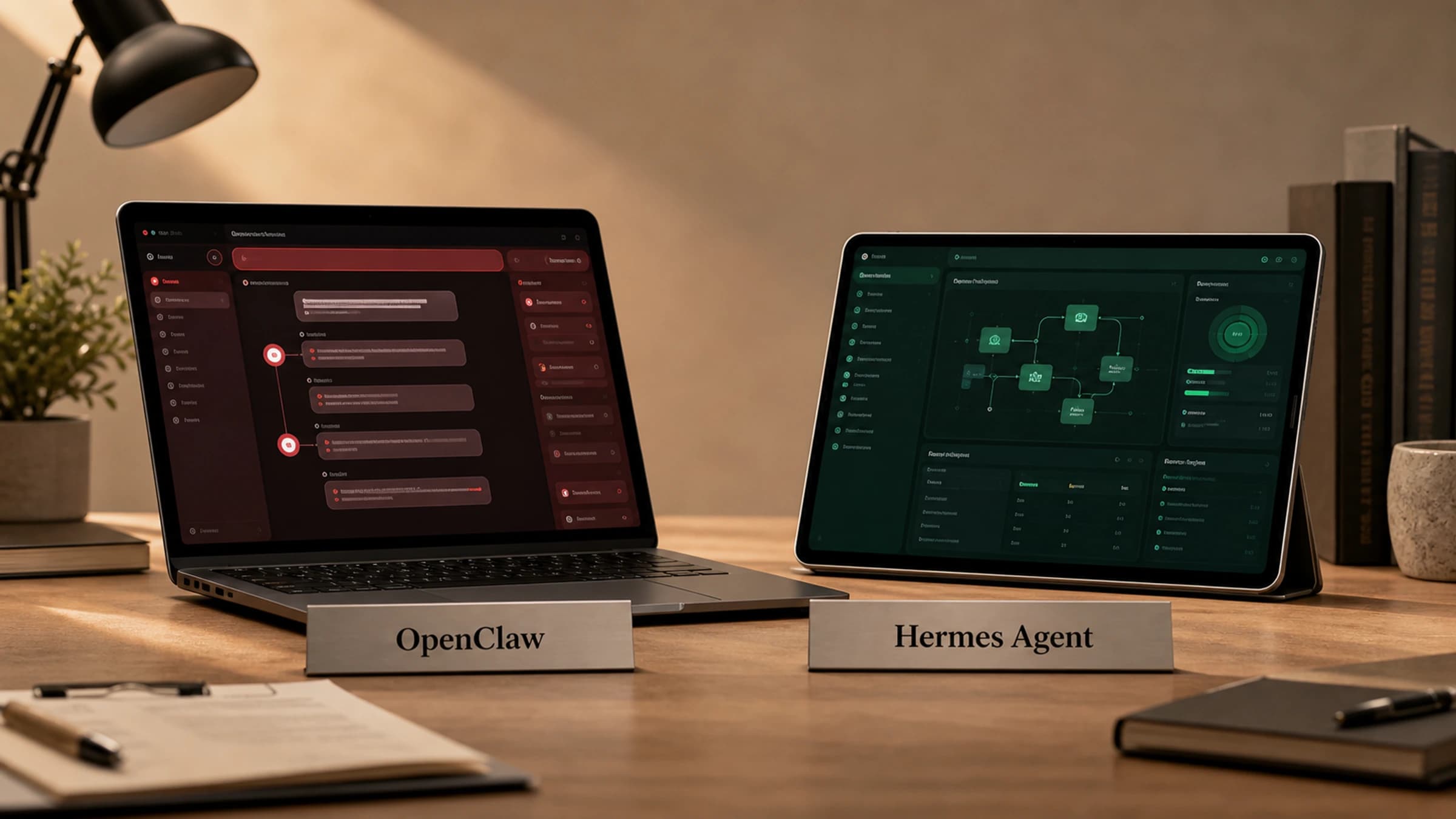
| OpenClaw | An emerging agent harness ecosystem with documentation around custom agent harness plugins | Shows the term being used directly for custom harness construction | Building or extending personal and tool-using agents |
| Hermes Agent | A CLI agent runtime from Nous Research | Uses tools, profiles, skills, plugins, memory and scheduled jobs as an operational harness | Local automation, content workflows, coding and agentic operations |
| OpenHuman | A personal AI system associated with local memory and human-centred operation | Illustrates a personal harness pattern where the system works around the user | Personal desktop AI and memory-based assistance |
| LangChain | LLM application framework | Provides agent and tool abstractions that can be used inside a harness | Building LLM apps and agent workflows |
| LangGraph | Graph-based framework for stateful agents | Strong harness-like features: state, persistence, control flow and human-in-the-loop patterns | Production-grade agent workflows |
| CrewAI | Multi-agent automation framework | Structures role-based agents, tasks, crews and workflows | Multi-agent business processes |
| Microsoft AutoGen | Multi-agent framework | Supports agent collaboration, tools, human participation and code execution patterns | Research, prototyping and multi-agent applications |
| OpenAI Agents SDK | Agent SDK | Provides agents, tools, handoffs, guardrails and tracing for agentic apps | Building agent workflows in Python |
| Amazon Bedrock Agents | Managed enterprise agent capability | Connects models to knowledge bases, action groups and APIs | Enterprise task automation |
| Salesforce Agentforce | Enterprise agent platform | Connects agents to business data, workflows and controls | CRM and business-process automation |
Coding Agent Harnesses: The Special Case Developers Care About
A coding agent harness is a specialised AI agent harness for software development. It gives a coding agent controlled access to a repository, file system, terminal, package manager, test runner, code search, diffs and review workflow.
A coding harness usually controls:
- Which repository the agent can access.
- Whether the agent can write files or only read them.
- Which shell commands are allowed.
- Whether commands run in a sandbox or container.
- How dependency installation is handled.
- When tests, linters and builds are run.
- How diffs are shown to the user.
- Whether the agent can create commits or pull requests.
- Which actions require human approval.
- How command logs and file changes are stored.
| Feature | General AI agent harness | Coding agent harness |
|---|---|---|
| Primary task | Business, research or operational workflows | Software engineering tasks |
| Main tools | APIs, databases, browsers, CRMs, ticketing systems | Repository, file editor, terminal, tests, package manager |
| Main risk | Incorrect external action or data exposure | Broken code, unsafe commands or dependency changes |
| Key controls | Permissions, approvals, logs and validation | Sandboxing, diffs, branch isolation and test runs |
| Output | Completed task, report, update or response | Patch, pull request, test result or code change |
| Review pattern | Human approval for sensitive business actions | Human review of diffs, tests and commits |
Popular coding agent harness examples include:
| Example | Category | Why it fits the harness idea |
|---|---|---|
| Claude Code | Terminal coding agent | Wraps a coding model with local repository context, file edits, command execution and developer workflow controls |
| Codex CLI | Command-line coding agent | Gives an agent a controlled terminal and file-editing environment for software tasks |
| Cursor | AI-native code editor | Combines editor context, repo understanding, AI chat, inline edits and agentic coding workflows |
| OpenHands | Open-source software engineering agent platform | Provides a workspace where agents can interact with code, shell tools and development tasks |
| SWE-agent | Software engineering research agent | Uses an agent-computer interface to navigate, edit and test repositories |
| Devin-style systems | Autonomous software engineering agents | Combine planning, code editing, terminal use, tests and task tracking in a controlled workspace |
What Makes a Good AI Agent Harness?
A good AI agent harness is not just a wrapper around an API call. It is a reliability system.
Look for these capabilities:
- Clear task scope and agent instructions.
- A tool registry with structured inputs and outputs.
- Permission boundaries by user, task and tool.
- Data grounding from approved sources.
- Human approval for risky or irreversible actions.
- Sandboxing for code, browsing or shell access.
- Persistent state for multi-step tasks.
- Logs and traces for every important action.
- Evaluation tests for quality, safety and task completion.
- Retry, timeout and fallback behaviour.
- Cost and latency tracking.
- Versioning for prompts, tools and policies.
Risks an AI Agent Harness Helps Manage
The more an agent can do, the more important the harness becomes.
| Risk | What can go wrong | Harness control |
|---|---|---|
| Prompt injection | Malicious content tells the agent to ignore rules or leak data | Instruction hierarchy, tool limits, input filtering and source trust checks |
| Tool misuse | The agent calls the wrong API or uses the right API incorrectly | Tool schemas, validation, permissions and dry-run modes |
| Data leakage | Sensitive data is retrieved or exposed unnecessarily | Access control, redaction and data-boundary enforcement |
| Bad code changes | A coding agent introduces bugs or unsafe dependencies | Tests, diffs, sandboxing, branch isolation and human review |
| Runaway loops | The agent repeats actions and burns cost | Step limits, budgets, timeouts and loop detection |
| Hallucinated actions | The agent claims it did something it did not do | Tool-result verification and audit logs |
| Poor reliability | The agent behaves differently across similar tasks | Evaluation suites, regression tests and version control |
| No accountability | No one can reconstruct what happened | Traces, logs, action history and approval records |
Build vs Buy: Should You Create Your Own AI Agent Harness?
The right choice depends on your risk level, team capability and integration needs.
| Option | Best for | Pros | Cons |
|---|---|---|---|
| Build your own harness | Teams with custom workflows, strict security needs or deep platform capability | Maximum control, tailored permissions and internal integration | Higher engineering cost and ongoing maintenance |
| Use a framework | Developer-led prototypes and flexible agent systems | Fast to start, large ecosystem and customisable patterns | You may still need production controls |
| Use a platform | Business teams or faster deployment | Managed infrastructure, UI, integrations and support | Less control and possible platform lock-in |
| Hybrid | Most serious production teams | Combines internal controls with external frameworks or platforms | Requires clear architecture decisions |
How to Choose an AI Agent Harness
Use this checklist before adopting or building one:
- Does it support the tools your agent actually needs?
- Can tool permissions be scoped by user, role, task and environment?
- Can risky actions require human approval?
- Does it produce detailed logs and traces?
- Can it run code, browser actions or shell commands in a sandbox?
- Does it support persistent task state?
- Can it evaluate outputs automatically?
- Does it integrate with your existing systems?
- Can it control cost, rate limits, retries and timeouts?
- Does it protect private, regulated or customer data?
- Can you test changes before deploying them?
- Can it scale from prototype to production without losing governance?
Example: Customer Support Agent Harness
A customer support agent might look simple from the outside, but the harness does a lot of hidden work.
| Workflow stage | What the agent does | What the harness controls |
|---|---|---|
| Read ticket | Summarises the customer issue | Access to ticket data and customer history |
| Retrieve policy | Finds relevant help articles and internal rules | Approved knowledge sources and citations |
| Draft response | Writes a suggested answer | Brand voice, tone and policy checks |
| Check risk | Detects refunds, cancellations or legal issues | Escalation rules and approval gates |
| Take action | Updates ticket status or creates a follow-up | API permissions and audit logging |
| Finalise | Sends or queues the response | Human review for sensitive cases |
The model writes and reasons. The harness decides what data is available, what tools can be called and which actions need approval.
Example: Coding Agent Harness Workflow
A coding agent harness might run a task like this:
- The user asks the agent to fix a bug.
- The harness gives the agent repository context and relevant files.
- The agent searches the codebase and proposes a plan.
- The harness allows approved file edits.
- The agent runs tests in a sandboxed terminal.
- The harness captures diffs, logs, errors and test results.
- The agent revises the patch if tests fail.
- The user reviews the final diff before merge.
This is why coding harnesses are different from ordinary chatbots. They manage the messy parts of real development: files, commands, tests, dependencies, branches and review.
Common Misconceptions About AI Agent Harnesses
| Misconception | Reality |
|---|---|
| A harness is just a prompt | Prompts are one part. A harness also manages tools, state, permissions, logs and evaluation. |
| A framework and a harness are the same thing | A framework helps build agents. A harness controls how agents run. |
| Agents can use tools safely by default | Tool use needs validation, boundaries, monitoring and human approval. |
| Only large companies need a harness | Any team giving agents access to files, systems, APIs or code benefits from harness controls. |
| A harness removes the need for humans | Many harnesses are designed to include human approval for high-risk actions. |
| More autonomy is always better | For many workflows, a simple controlled process is safer and more reliable. |
AI Agent Harness Architecture
A practical AI agent harness architecture usually has these layers:
- Input layer: receives user prompts, events, tickets or scheduled tasks.
- Identity layer: knows who is asking and what they are allowed to do.
- Instruction layer: applies the agent role, task rules and output requirements.
- Context layer: retrieves relevant documents, files, data or history.
- Reasoning layer: lets the model plan, classify, draft or choose actions.
- Policy layer: checks rules, permissions, safety and compliance.
- Tool layer: executes approved actions through APIs, browsers, terminals or databases.
- State layer: stores task progress, memory and intermediate results.
- Evaluation layer: checks quality, completion and safety.
- Observability layer: records logs, traces, latency, cost and errors.
- Human review layer: asks for approval, escalation or feedback when needed.
| Layer | Responsibility | Example control |
|---|---|---|
| Input | Receive the task | Validate request type and user identity |
| Context | Gather relevant information | Retrieve approved files or knowledge base records |
| Policy | Decide what is allowed | Block destructive tools without approval |
| Tool execution | Run approved actions | Call APIs, edit files or execute commands safely |
| State | Track progress | Store task steps and intermediate outputs |
| Evaluation | Check result quality | Run tests, validators or confidence checks |
| Observability | Make behaviour visible | Log prompts, tool calls, errors and cost |
| Human review | Keep people in control | Request approval before high-impact actions |
When Should You Use an AI Agent Harness?
You should use an AI agent harness when an agent needs to do more than generate a one-off answer.
A harness is especially useful when the agent must:
- Use APIs or external tools.
- Access private or sensitive data.
- Run code or shell commands.
- Edit files, tickets, records or databases.
- Complete multi-step workflows.
- Persist memory or state across turns.
- Act differently based on user permissions.
- Produce auditable work.
- Require human review before high-impact actions.
- Be evaluated, monitored and improved over time.
A simple chatbot may not need a full harness. A production agent usually does.
Short Definition for Executives
For executives, an AI agent harness is the control system that makes an AI agent usable in real business workflows. It gives the agent access to approved tools and data while adding permissions, monitoring, evaluation and human oversight.
Short Definition for Developers
For developers, an AI agent harness is the runtime layer that wraps a model with tools, context, memory, policy checks, execution state, logs, tests and deployment controls.
FAQ About AI Agent Harnesses
What is an AI agent harness?
An AI agent harness is the runtime and control layer around an AI agent. It connects the agent to tools, context, memory, permissions, workflows, logging and evaluation so the agent can complete tasks safely.
What is an agent harness in AI?
In AI, an agent harness is the software structure that controls how an agent receives context, chooses actions, uses tools, handles errors, stores state and reports results.
Why do AI agents need a harness?
AI agents need a harness because useful agents often need to use tools, access private data, call APIs, run code or complete multi-step tasks. The harness provides the boundaries, evidence and safety controls required for those actions.
What is the difference between an AI agent harness and an AI agent framework?
An AI agent framework helps developers build agents. An AI agent harness helps teams run agents safely and reliably. A framework provides components. A harness provides control, execution, testing, permissions and observability.
Is an AI agent harness the same as an AI agent platform?
No. An AI agent platform is usually a hosted product for creating, managing or deploying agents. An AI agent harness is the runtime and control structure around an agent. A platform may include a harness, but the terms are not identical.
What is a coding agent harness?
A coding agent harness is a specialised harness that lets an AI coding agent safely read, edit, test and review code inside a controlled development environment. It manages repository access, file edits, shell commands, tests, diffs and approvals.
Does every AI agent need a harness?
Every serious tool-using agent needs some form of harness, even if it is lightweight. A simple chat assistant may only need instructions and retrieval. An agent that changes systems, writes code or accesses sensitive data needs stronger harness controls.
What are examples of AI agent harnesses?
Examples and adjacent systems include Hermes Agent, OpenClaw, OpenHuman, LangGraph-based runtimes, enterprise agent platforms such as Salesforce Agentforce and Amazon Bedrock Agents, and coding harnesses such as Claude Code, Codex CLI, Cursor, OpenHands and Devin-style systems.
What are the main benefits of an AI agent harness?
The main benefits are safer tool use, better reliability, repeatable workflows, clearer audit trails, easier debugging, human approval, stronger evaluation and more predictable production deployment.
What risks does an AI agent harness reduce?
A harness can reduce risks such as prompt injection, tool misuse, excessive permissions, data leakage, bad code changes, runaway costs, repeated loops, hallucinated actions and lack of auditability.
The Bottom Line
An AI agent harness is the difference between an impressive demo and a dependable agentic system.
The model is important, but it is only one part of the stack. The harness is what gives the agent tools, context, memory, permissions, workflows, logs, evaluation and human oversight. It is how teams turn AI agents from conversational prototypes into systems that can act safely in the real world.
If you are building or adopting AI agents, ask one practical question first: not just what model will power the agent, but what harness will control it.

About the author
Hi, I'm Jason Futrill.
I'm an tech professional and commentator exploring how intelligent systems are reshaping work, creativity, and society.
More about me